
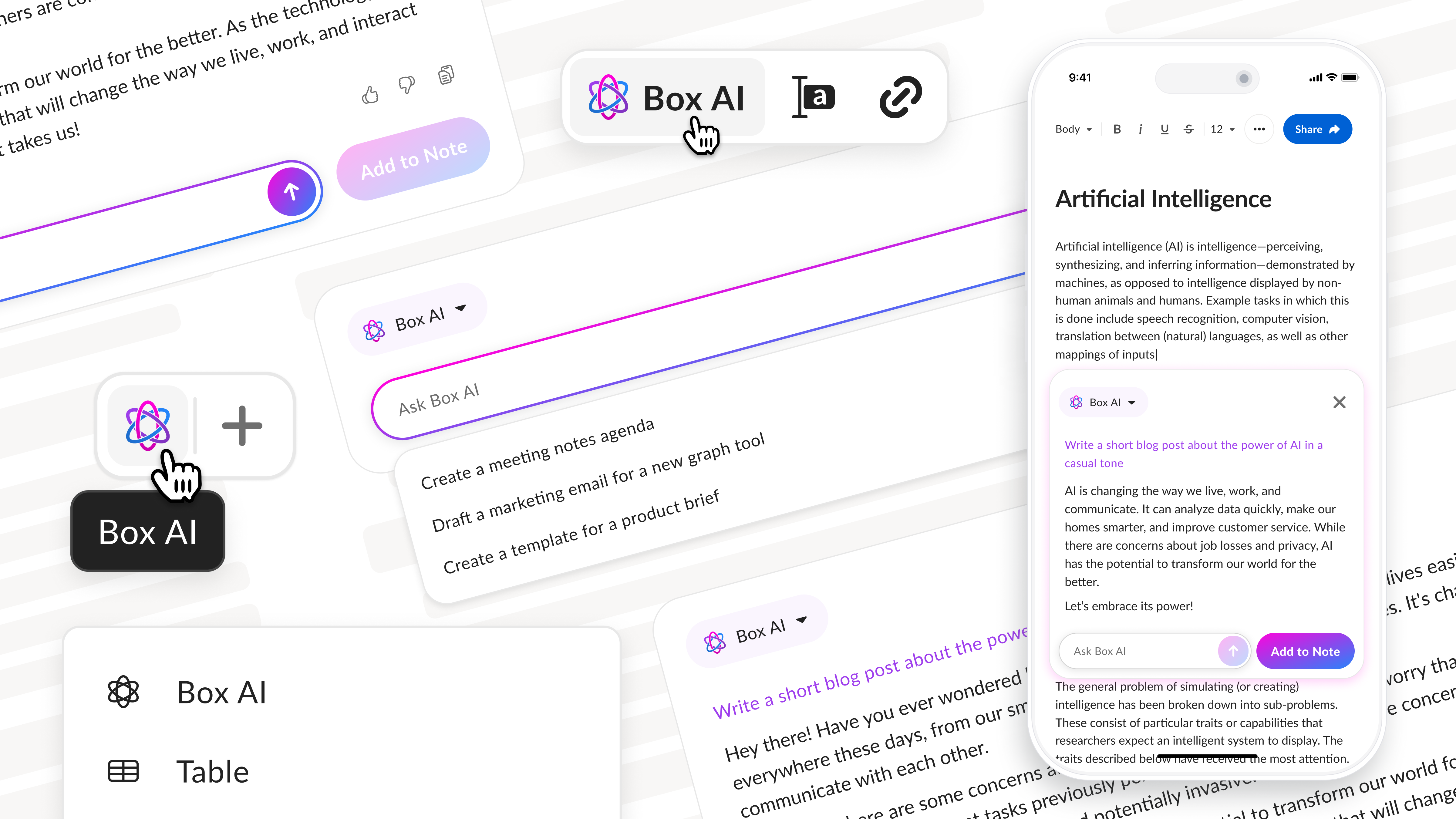

Transforming Content Creation with AI in Box Notes
How I helped 25% of Box Notes customers work faster and contributed sales growth by integrating AI.
At a Glance
Timeline: 4 months
Team: CEO, CTO, PM, 3 engineers
Role: Lead Product Designer
I was responsible for defining use cases, conducting competitive analysis, designing the end-to-end interaction, creating prototypes, and running usability tests. I led multiple design iterations and partnered closely with engineering and leadership to launch Box Notes' first AI-powered experience.
Challenge
In late 2022, AI tools like ChatGPT and Notion AI reset expectations for how people draft and refine text. Box leadership wanted to bring similar capabilities into Box Notes for its customers both to support user productivity and to strengthen Box's positioning in enterprise AI. The challenge involved:
- Balancing user trust: AI had to feel supportive, not intrusive or risky. Additionally, users might feel judged if colleagues saw AI usage in shared docs.
- Managing real-time collaboration: inline AI text could cause edit conflicts but the solution had to work seamlessly in real-time collaboration.
- Leadership required speed: ship a viable, competitive solution in just a few months.
Outcomes
In just four months, I designed and launched the first AI-powered writing experience in Box Notes.
The results were significant:
- 25% of active customers adopted Box AI, with over 3,000 prompts submitted weekly.
- The solution resolved privacy and collaboration concerns while aligning with simple aesthetic.
- At the business level, the feature provided Box with a clear differentiation in enterprise productivity, contributed to increased Enterprise+ sales.
This project not only improved day-to-day productivity for thousands of users but also helped Box position itself as a serious player in the emerging AI productivity space.
Setting Things Up
What is Box Notes?
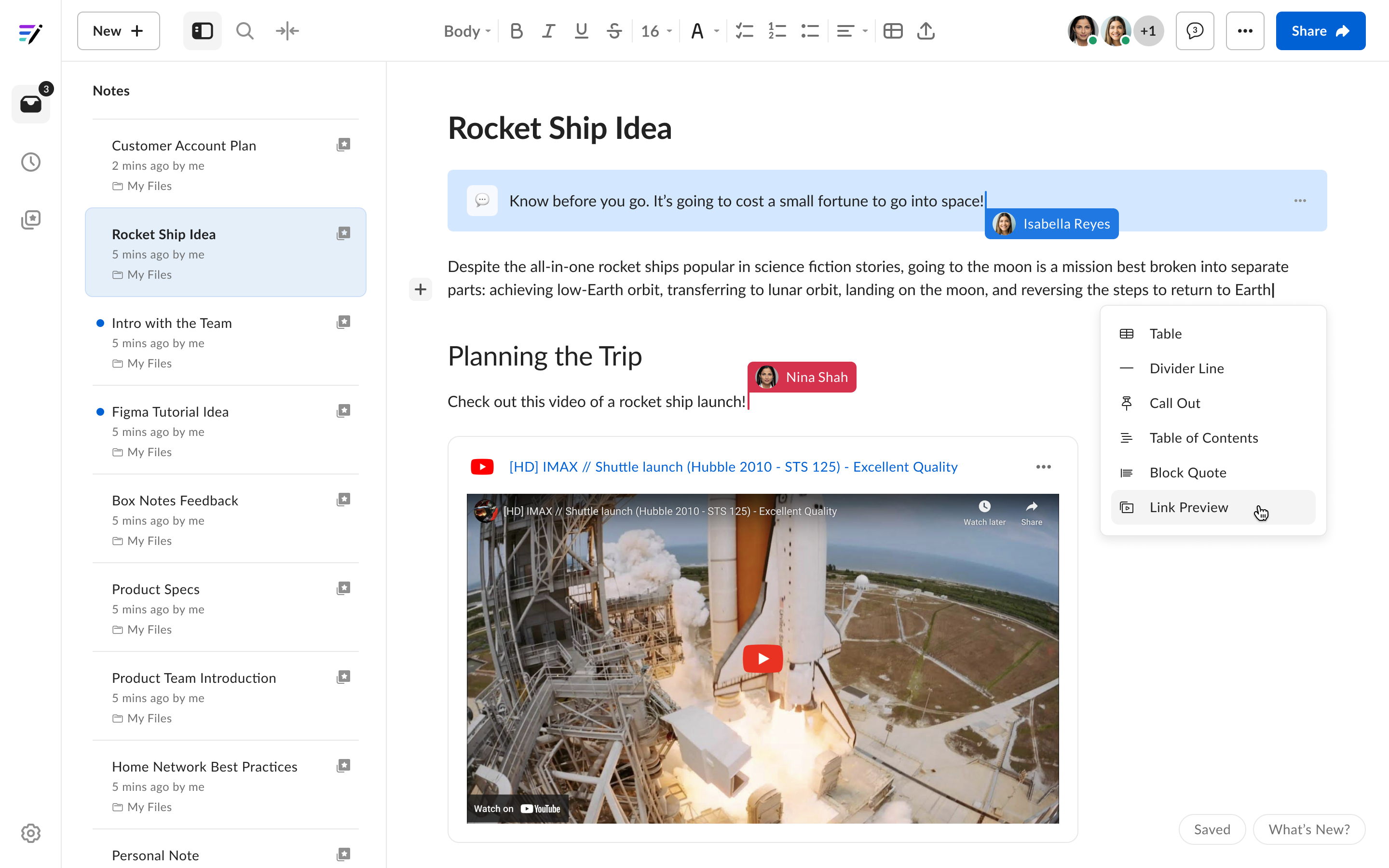
Box Notes is Box's real-time collaborative editor. Teams use it every day for meeting notes, documentation, and project planning, relying on its lightweight design and enterprise security to stay aligned without friction.
Any new feature had to respect these strengths. Adding AI needed to feel seamless, trustworthy, and consistent with the lightweight, secure experience that users already valued.
Use Cases
I worked closely with leadership to define how AI could best support Box Notes users regarding text generation and editing. While I moved quickly and couldn't run early interviews with customers, I anchored our thinking in previously observed user pain points and conversations with internal stakeholders. I defined two biggest, recurring user pain points in Box Notes:
1. Generate text (overcome the blank page)
Users often struggled with the “blank page” — kicking off blog posts, project docs, or announcements from scratch. AI could generate a first draft instantly, giving users something to react to instead of starting cold.
"The hardest part is just getting started"
2. Improve and summarize existing text (distill the overwhelming)
Users had text already, but needed it refined — clearer, shorter, or adjusted for tone. For example, rewriting a dense meeting recap into a concise stakeholder summary. AI could edit or re-express a selected paragraph, while preserving context.
"After a half-hour meeting, I spend another 30 minutes just getting the note into shape"
Competitive Analysis
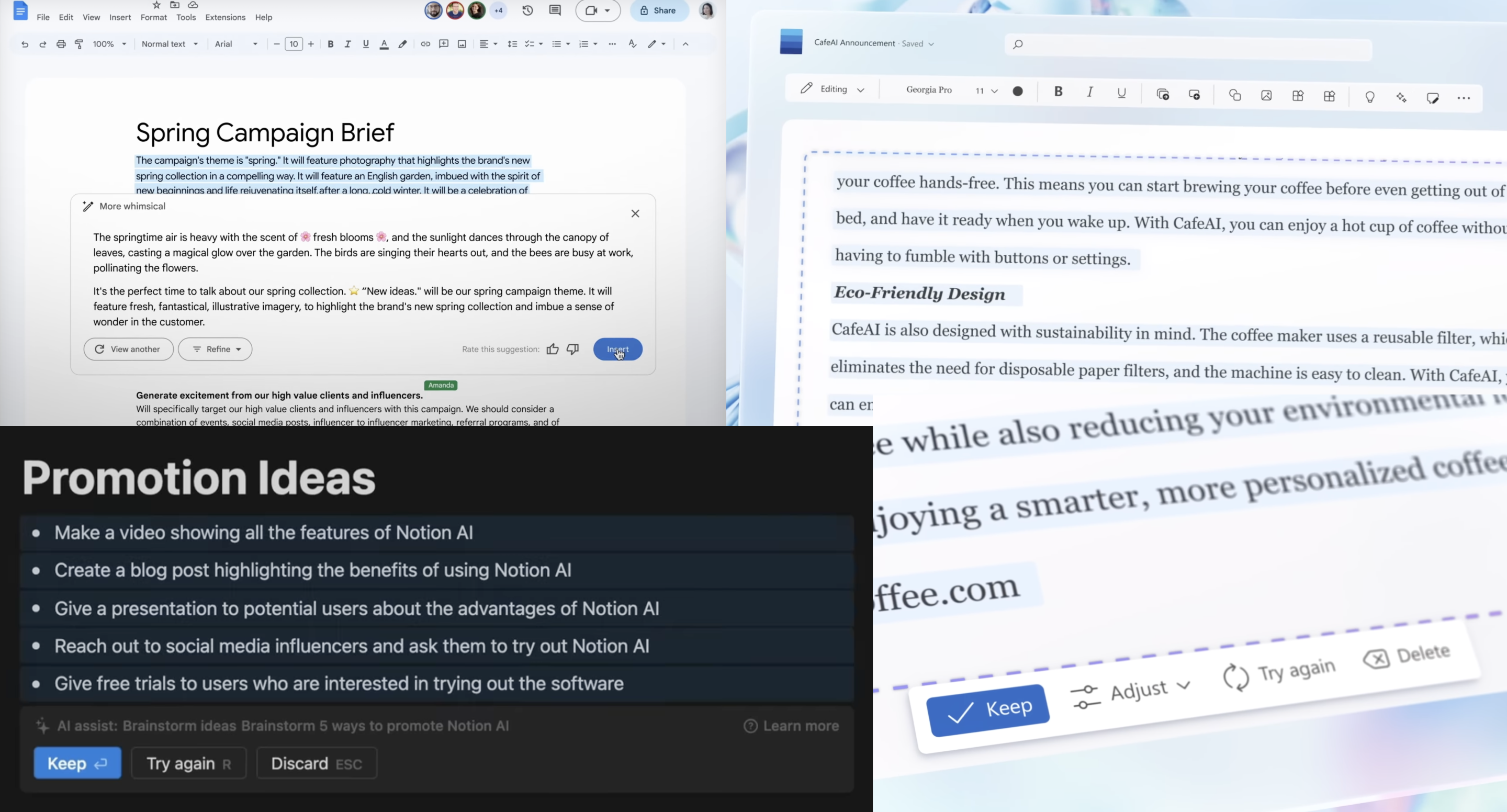
This project began at the very start of the generative AI boom. With few established design patterns, I turned to the announcement videos from Notion AI, Microsoft 365 Copilot, and Google to understand how AI might reshape productivity tools.
Key Findings:
Across products, AI-generated text appeared directly in the document canvas — reinforcing the idea that AI should live where users already work. Each also emphasized iteration and control, allowing users to refine or discard drafts rather than accept them blindly.
Core Assumptions
Before ideating, I defined a set of guiding assumptions based on Box's product values, user workflows, and early signals from generative AI tools:
- Maintain trust through security:
AI would have to respect existing permissions and never retains customer data. On top of that, design had to keep users in control so they could fully trust how AI content enters their notes. - Keep the experience simple:
Box Notes is valued for its clean, lightweight experience. AI could not add friction or complexity. - Generated text must stay in the note context:
Since most work happens on the editing canvas in Box Notes, pulling users into separate form factors (such as side panels or overlays) would disrupt focus and reduce the value of staying in flow. - Users want to iterate, not accept a first draft:
Early studies of generative AI showed that people rarely accept the first output. They refine, regenerate, and tweak until the text feels right.
Special Remark
Expectation of inline generation
Competitors like Notion AI and Microsoft Co-pilot set the mental model that AI text appears inline, within the document. However, engineering flagged this as a scope creep: it would require deep changes to the editor codebase and expose complex edge cases in real-time collaboration.
Design implication
Instead of inserting AI output directly into the canvas, I decided to explore adjacent solutions that could respect user expectations while avoiding technical and collaborative risks.
Iteration, Iteration, Iteration
First Iteration: Inline modal
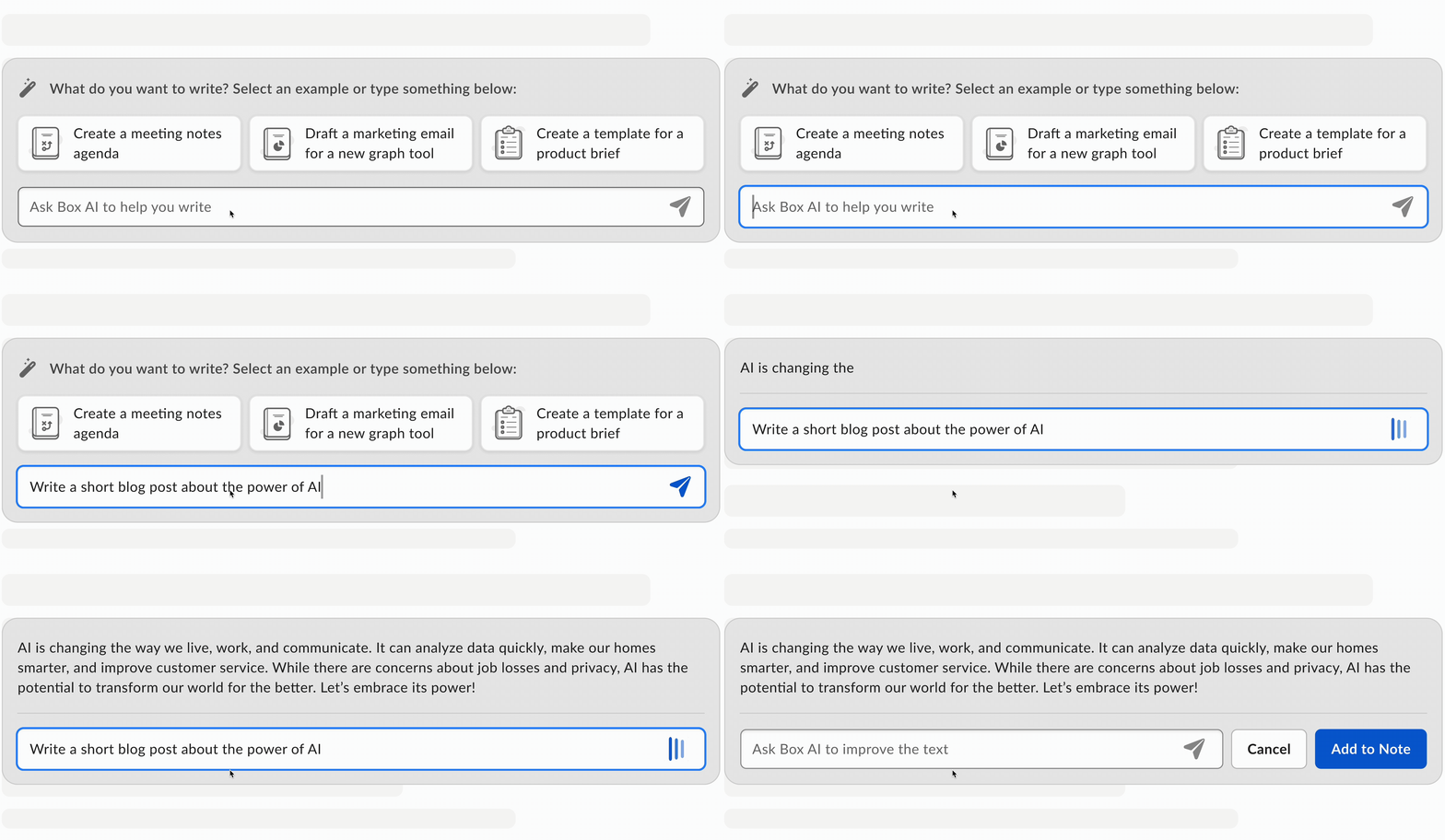
My first approach was an inline modal — a contained surface that stood out against the white canvas but still felt simple and integrated into the editor.
Feedback
Leadership immediately flagged that it felt “heavy” and cluttered the otherwise lightweight editor.
Second Iteration: Mimicking inline text
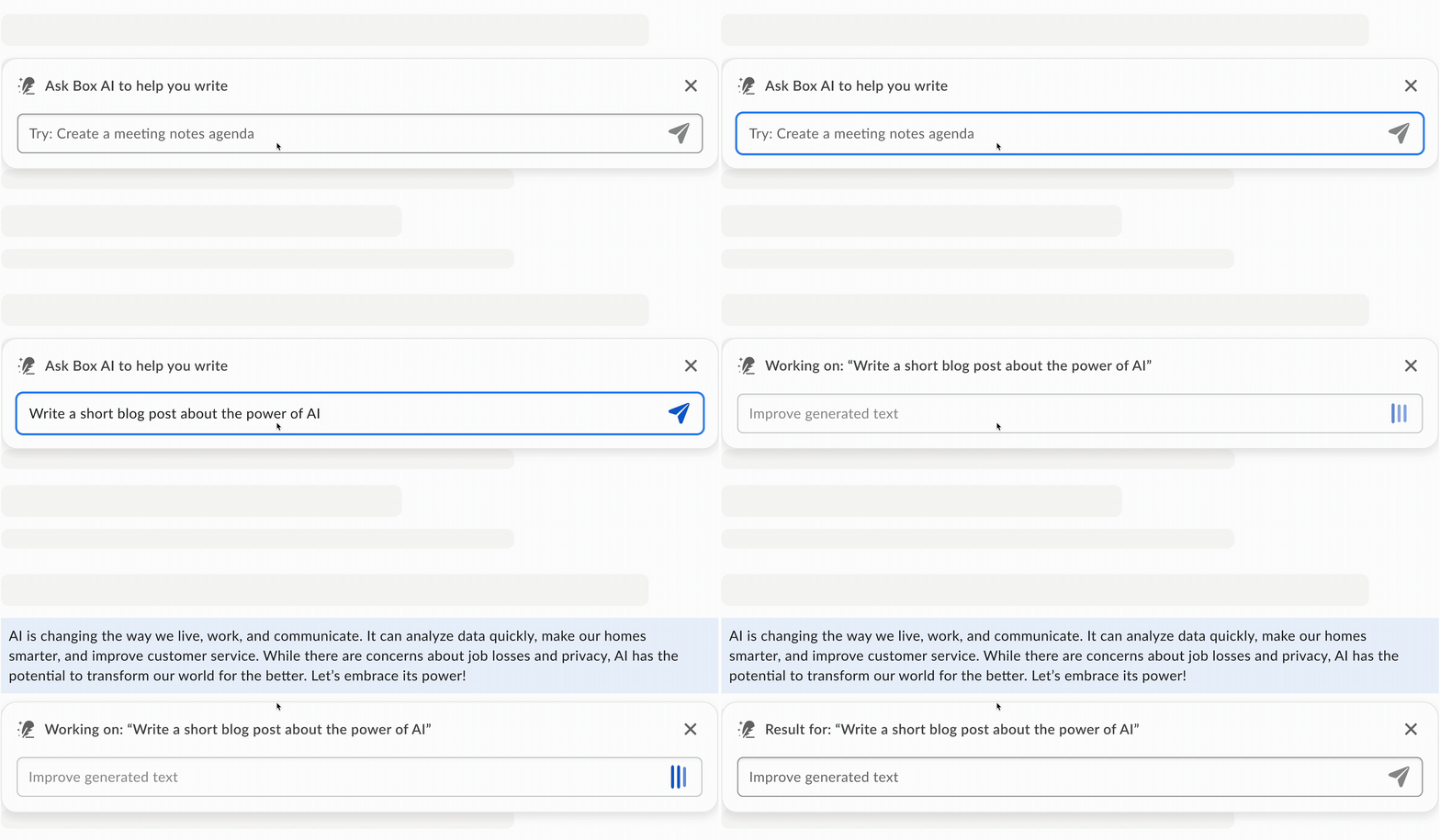
Next, to make the experience feel lighter, I explored generating text that appeared as part of the note itself — essentially mimicking inline insertion without actually committing it to the shared document.
AHA Moment
In usability sessions, I realized the blocker wasn't just visual weight — it was social visibility. Users didn't want collaborators to see they were using AI, especially if the output wasn't final.
"I'd hope others can't see the AI text … at least not until I choose to keep it"
Third Iteration: Best of both worlds
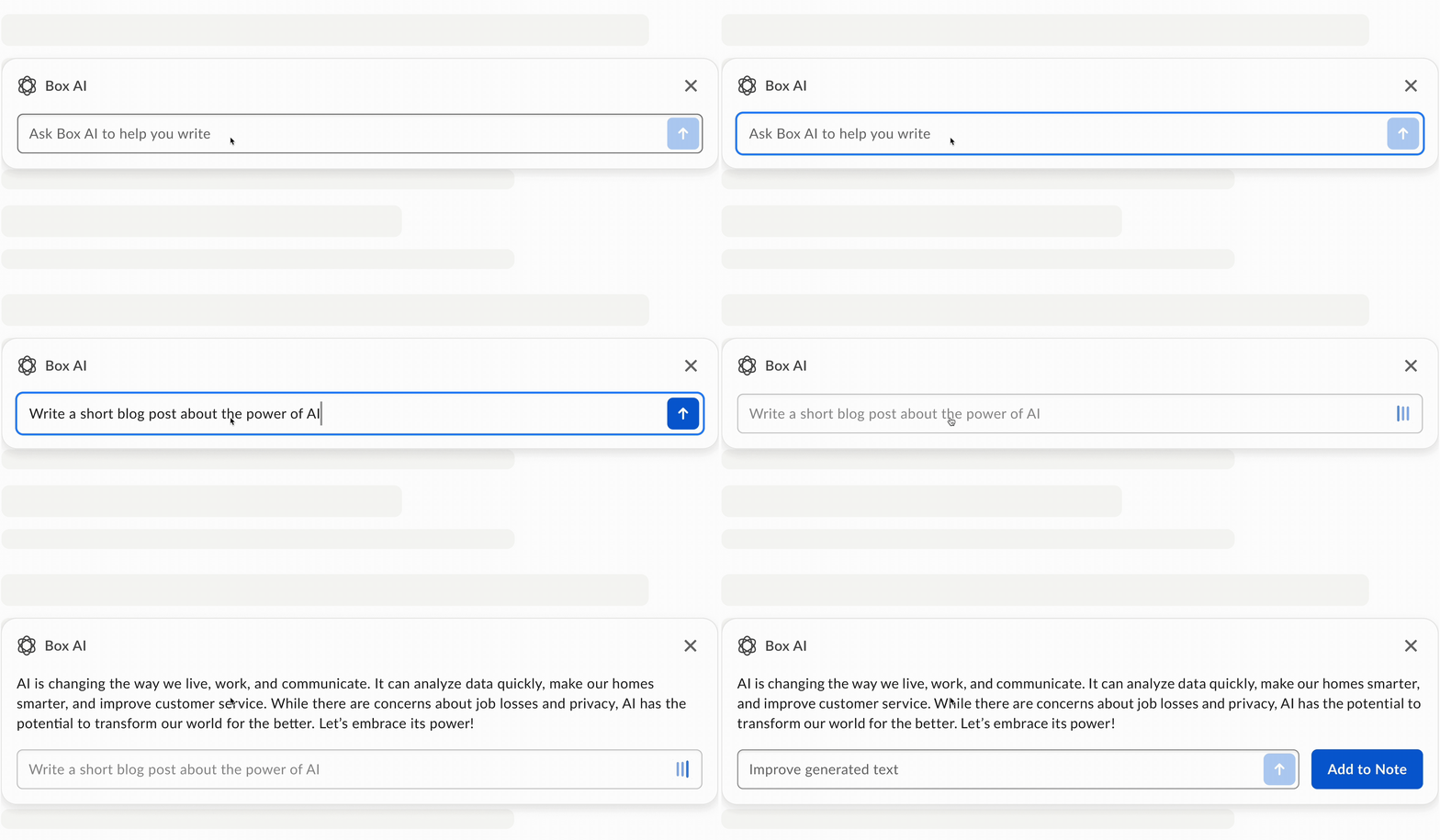
To solve both simplicity and privacy, I moved the flow back into an inline modal. Users could generate, refine, and only insert text into the note when ready.
Feedback
This solved the clutter and visibility issues, users had a great reaction to the concept and leadership agreed it felt much more aligned with Box Notes' collaborative context. However, it still lacked a clear Box identity — the experience felt like a generic AI demo.
"Wow, it was very easy ... Unless I'm just really behind on times, I don't think there is anything like this and I feel like it's insanely useful."
Branding
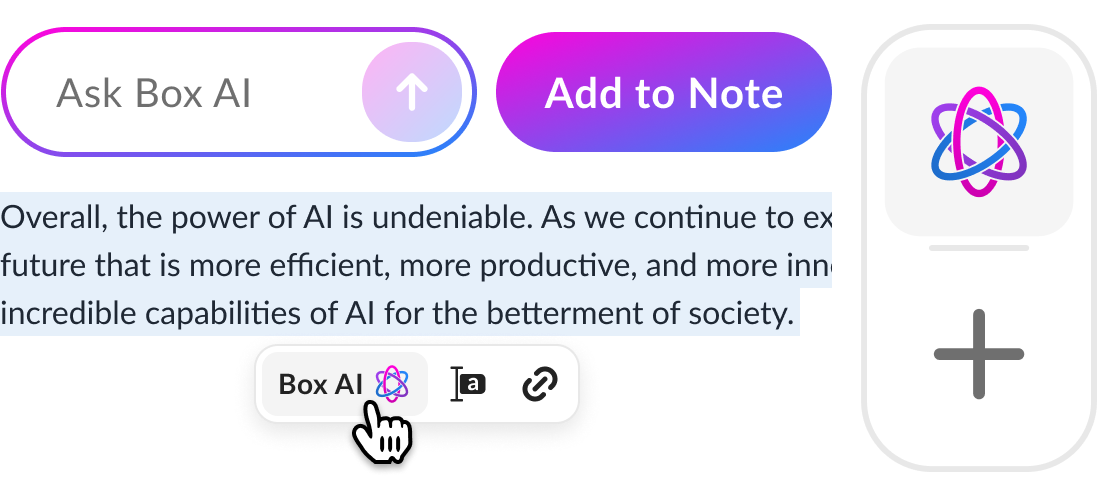
By this time, marketing team, leadership and I had also agreed on the branding. I incorporated it into the AI modal by adding color and enhancing the feature's discoverability.
Final Design
After everything was said and done, I was left with the final design.
Looking Ahead
Learnings
Designing AI inside a collaborative product taught me three lessons that continue to guide my work:
- Trust and privacy are as important as functionality:
Box is praised by enterprises for its security, which translates into user trust. Any AI feature had to preserve that trust by keeping users in control of their content. - Flexibility beats prescriptive workflows:
Box Notes is valued for its clean, lightweight experience. AI could not add friction or complexity. - Designing with AI is about shaping perception:
The main editing canvas in Box Notes is used during meetings and collaborative drafting sessions. Pulling users into separate form factors (like side panels or overlays) would disrupt focus and reduce the value of staying in flow.
Reflections
This was my first time designing an AI feature. It pushed me to think not only about usability, but about human psychology, trust, and product positioning. Moving forward, I approach AI design as a balance of utility, transparency, and empathy — principles I'm eager to apply at scale.