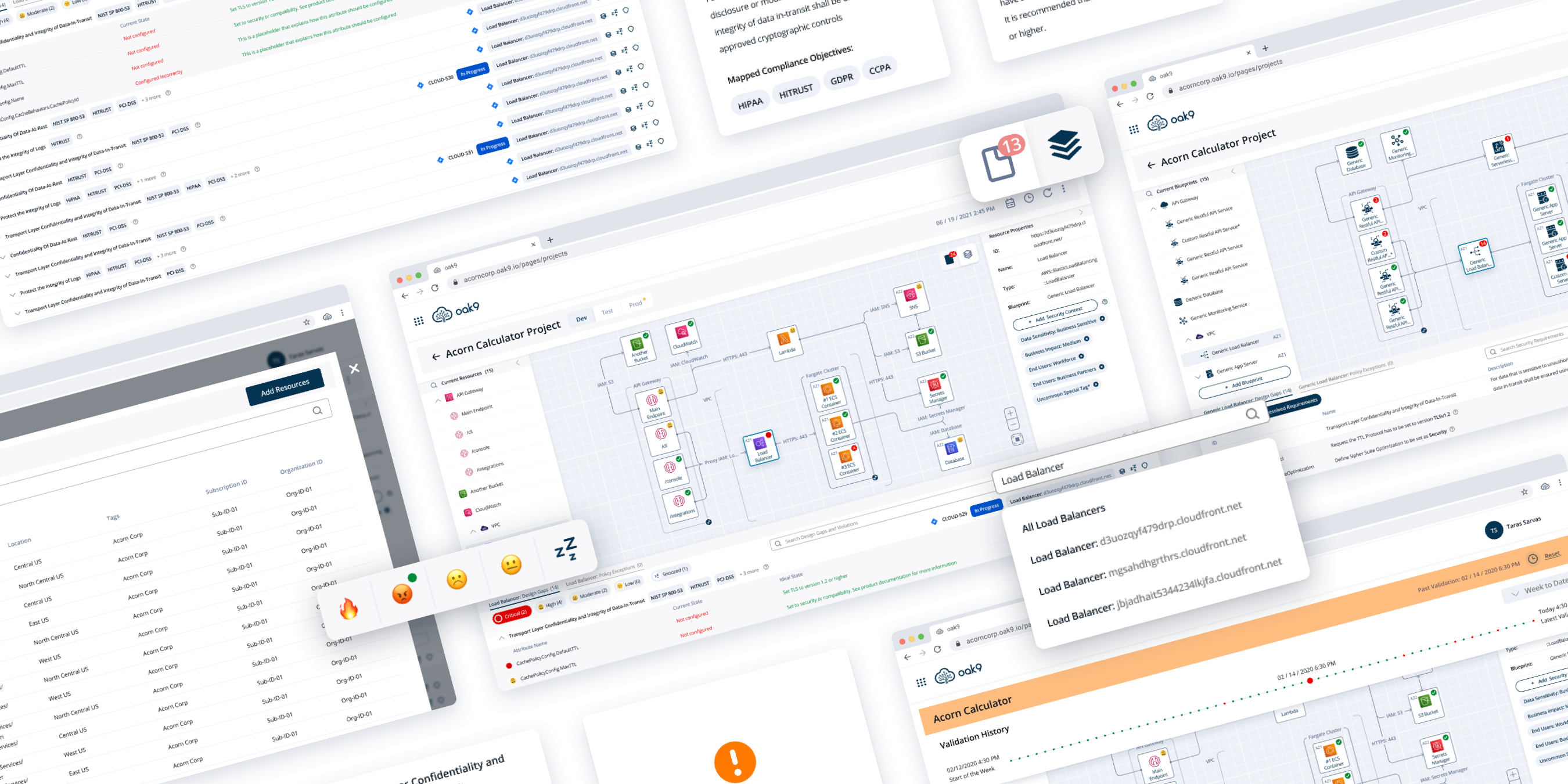
Visualize security of cloud infrastructure
oak9 is a web platform that analyzes cloud infrastructure to provide security to cloud-native applications
Challenge
As technology moves to the cloud, managing security risks across diverse ecosystems becomes increasingly difficult. Most security teams still rely on manual processes, creating security reports and guidelines that do not clearly depict the state of the cloud infrastructure.
To serve our customers better and to receive a competitive advantage, oak9 decided to introduce a feature that would allow customers to visually depict their cloud infrastructure and make security design changes in a simple drag-and-drop interface.
Outcomes
At the end of this project, I designed a core feature of the platform where users spend more than 60% of their oak9 usage time.
The feature was unique as it allowed users to visualize the security of cloud infrastructure which none of oak9 competitors did. This led to an almost $6 million seed round funding after implementation.
Lastly, because I designed this feature in close collaboration with our customers and design partners I received extremely positive feedback after the release.
See Final DesignLet's Get This Party Started
Requirements
Based on the conversations with founders and oak9 customers I defined 6 initial requirements for the feature

Cloud Architecture and its Status
Deployed Resources
Resource Properties
Design Gaps and Violations
Compliance Objectives
Security Requirements
Inspirations
During the interviews, customers reported frustration with security tools that have a confusing visual design. They would prefer a design that looks and works similarly to the software they already use.
”With all these security platforms, they all introduce some new UI. I just want to have something I'm used to - like Azure DevOps for example”
I looked at the software DevOps engineers and security engineers are using to find common elements that could be used to set up the layout for my feature.
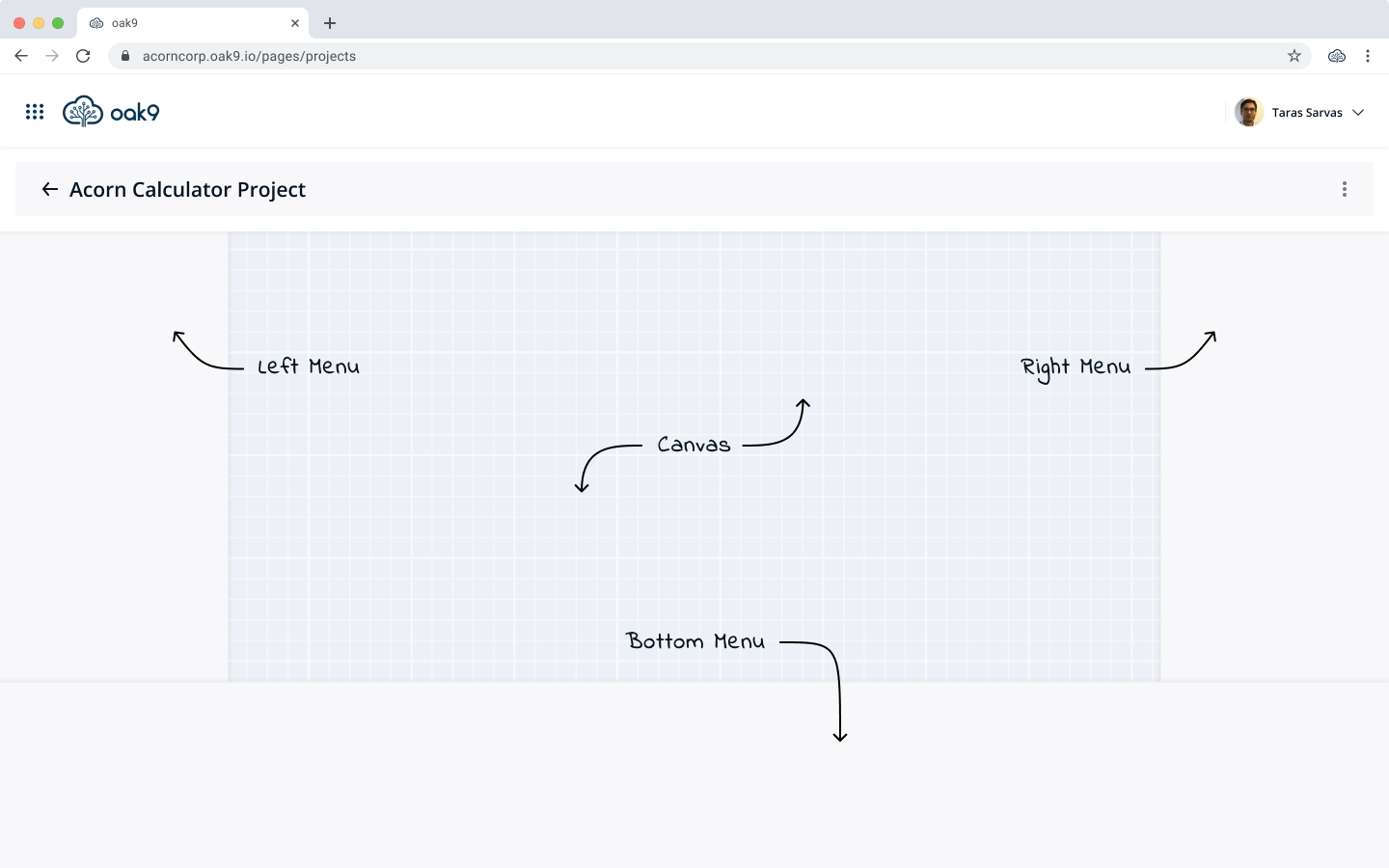
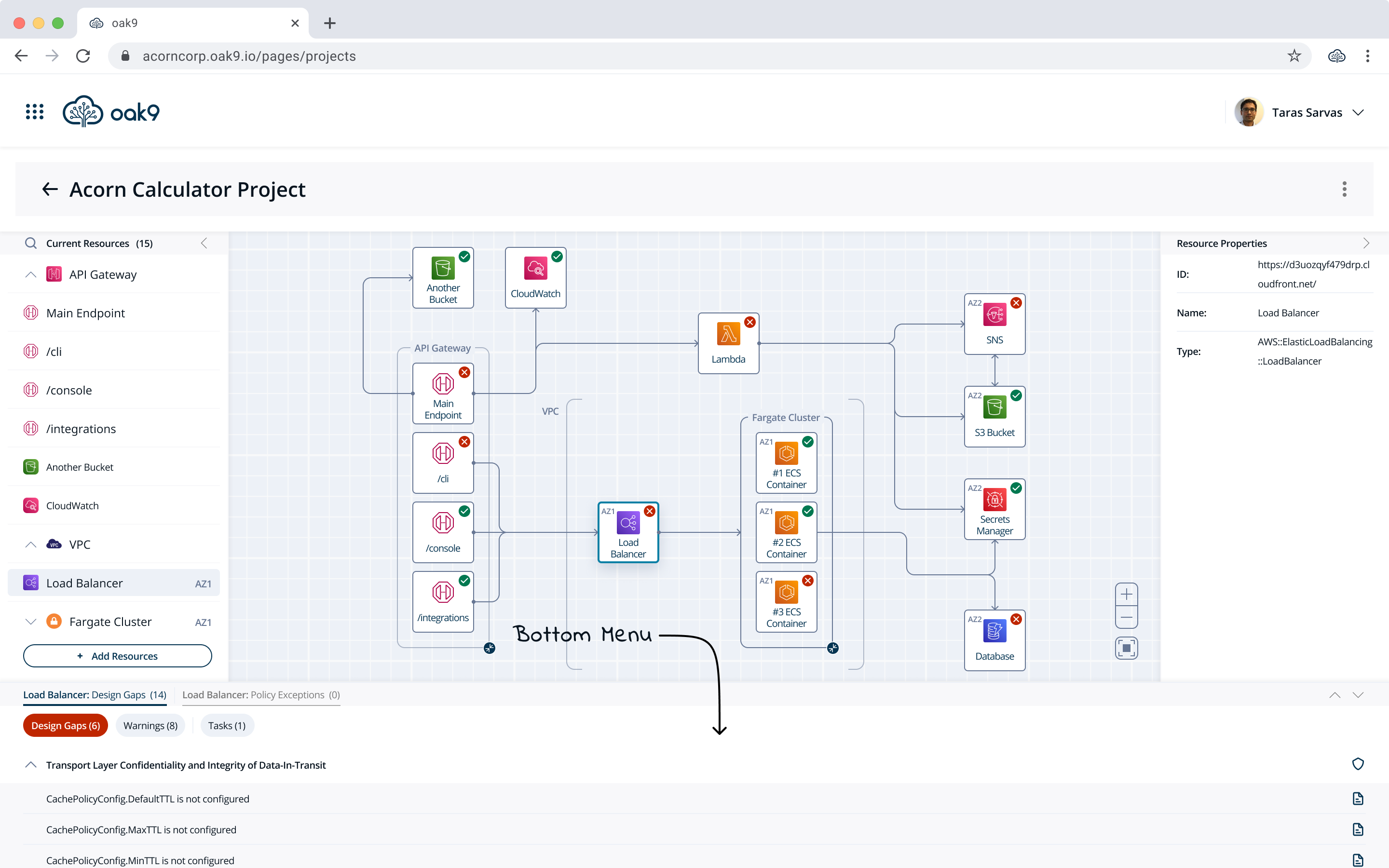
I noticed that visual software usually consists of working space and some side menus. Additionally, the information about errors was usually showcased in the bottom menu (e.g. Microsoft Visual Studio).
Solid Foundation
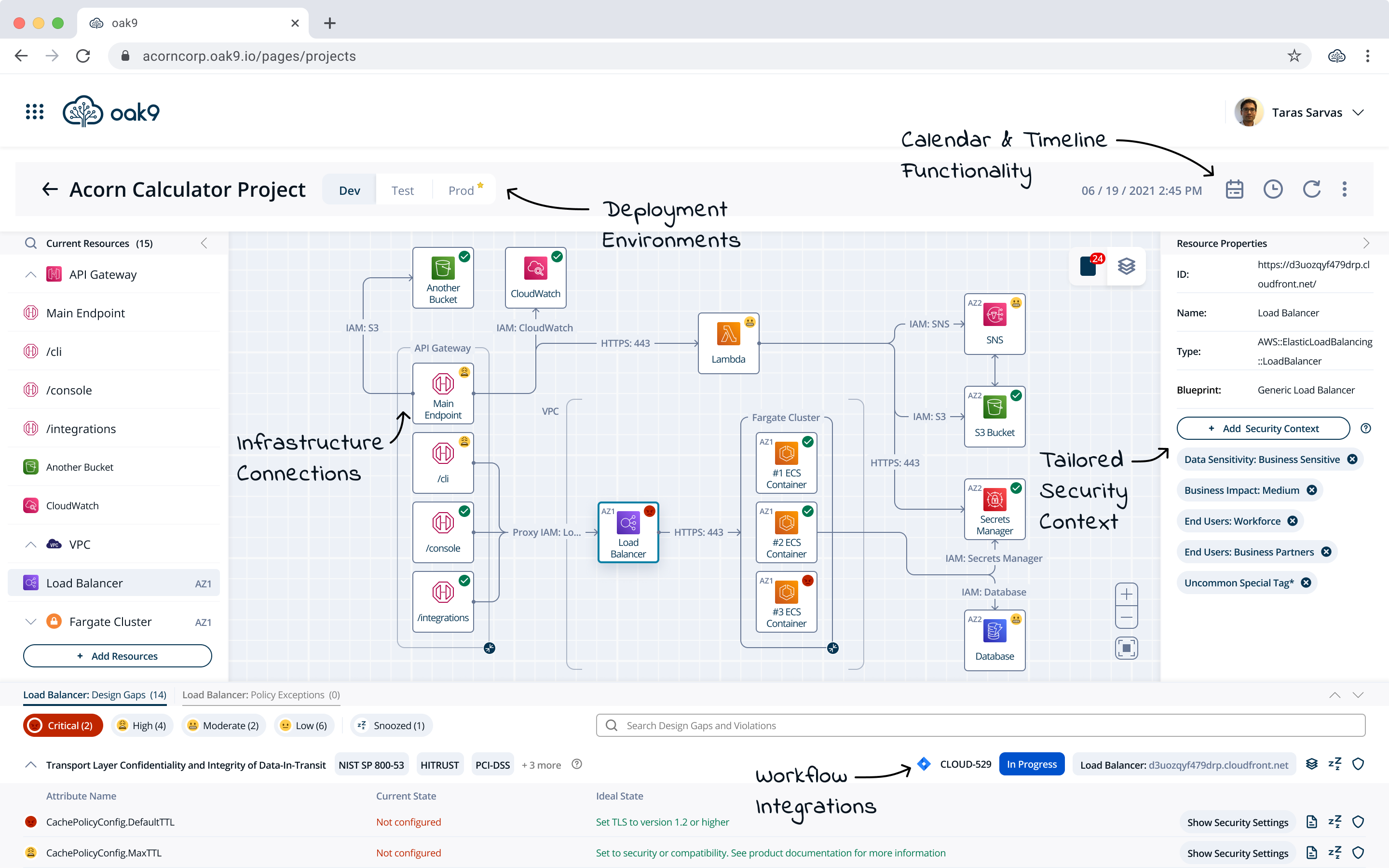
Looking at different software DevOps engineers and security engineers are using helped me to define general elements of the new feature. Those elements were: Canvas, Left Menu, Right Menu, and Bottom Menu.
Canvas
Inspiration
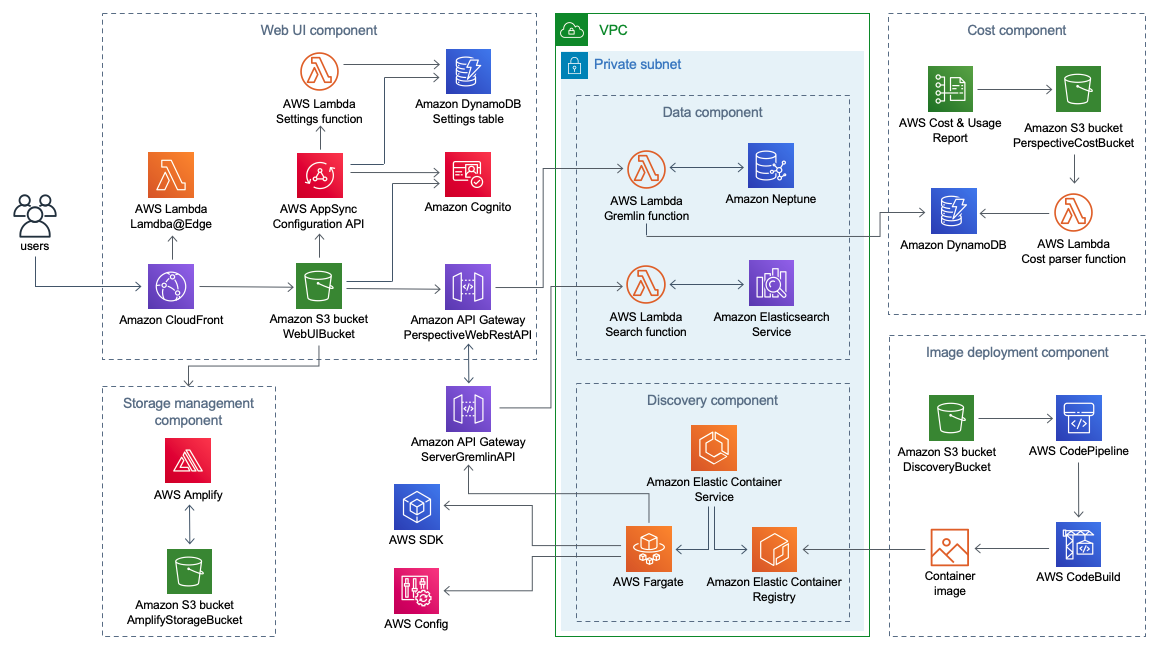
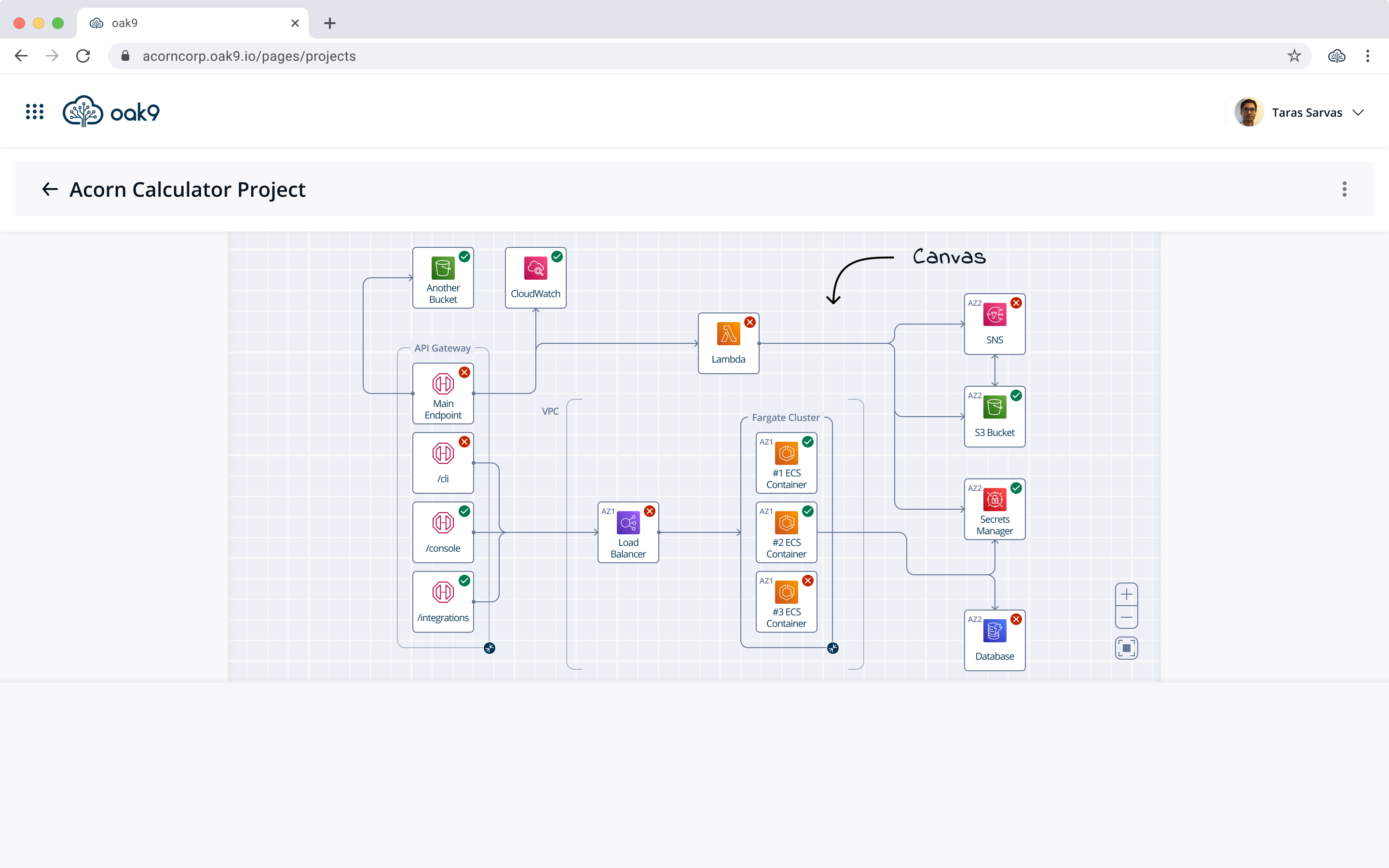
I decided to display oak9's cloud architecture diagram in the canvas space to utilize dedicated real estate. I also analyzed how AWS, Azure, and 3rd party companies display their diagrams to see elements I could use and improve.
Improvements
Shape
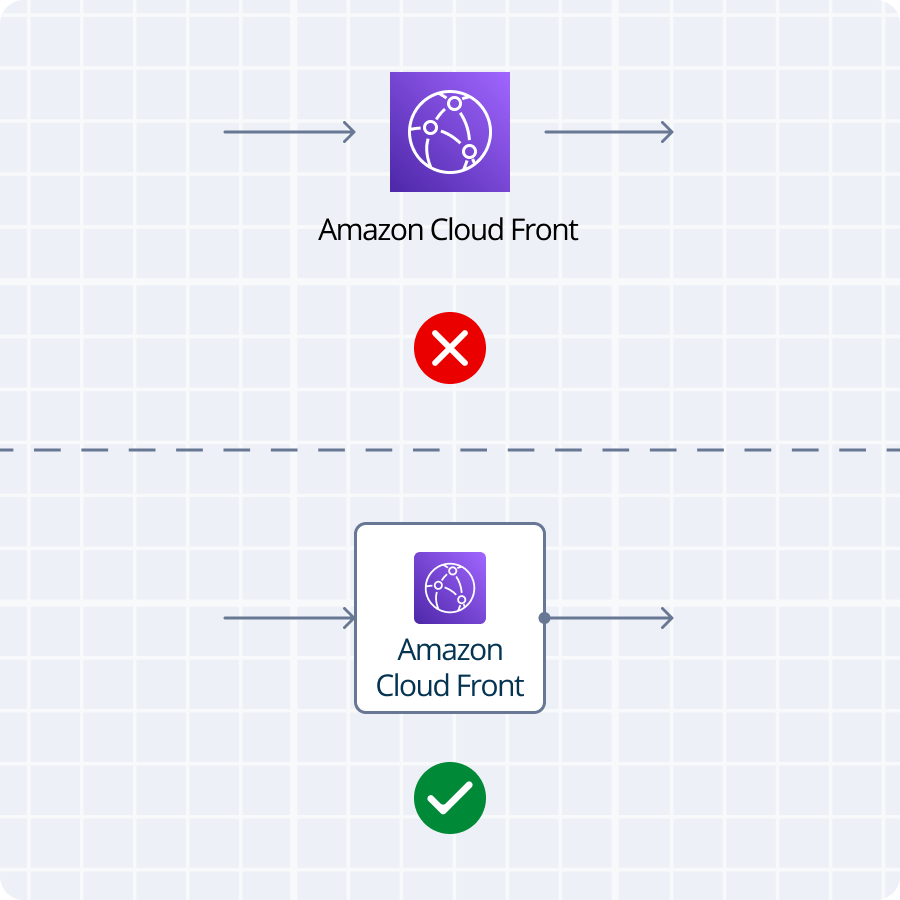
I noticed that typically resources were not contained in any shape, and looked shapeless and confusing.
I decided to maintain each resource in a square box to provide consistency.
Functionality
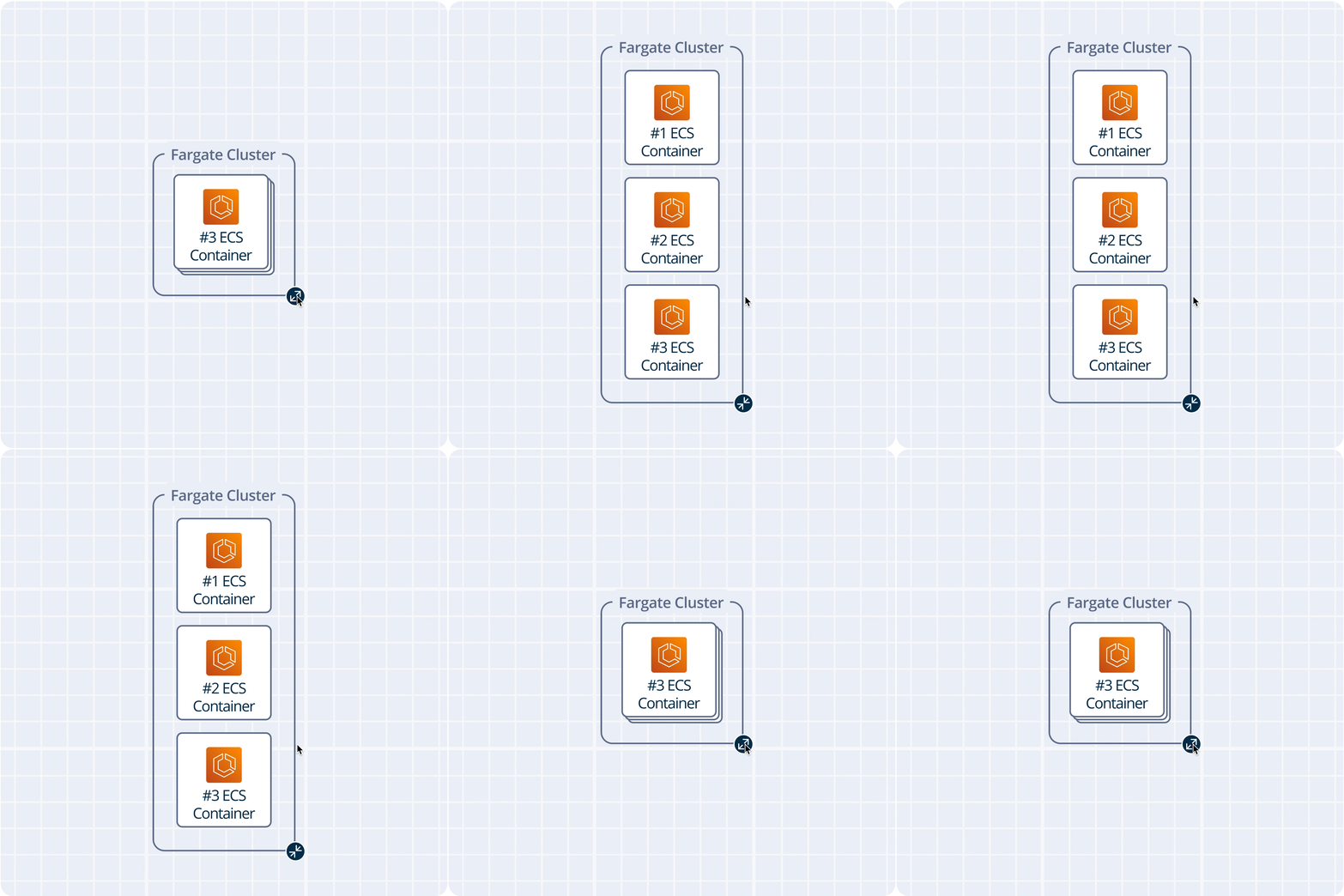
None of the diagrams allowed to group/collapse elements (Clusters, Subnets, etc.).
I decided to introduce the expand feature to allow the user to focus its attention and decrease cognitive load.
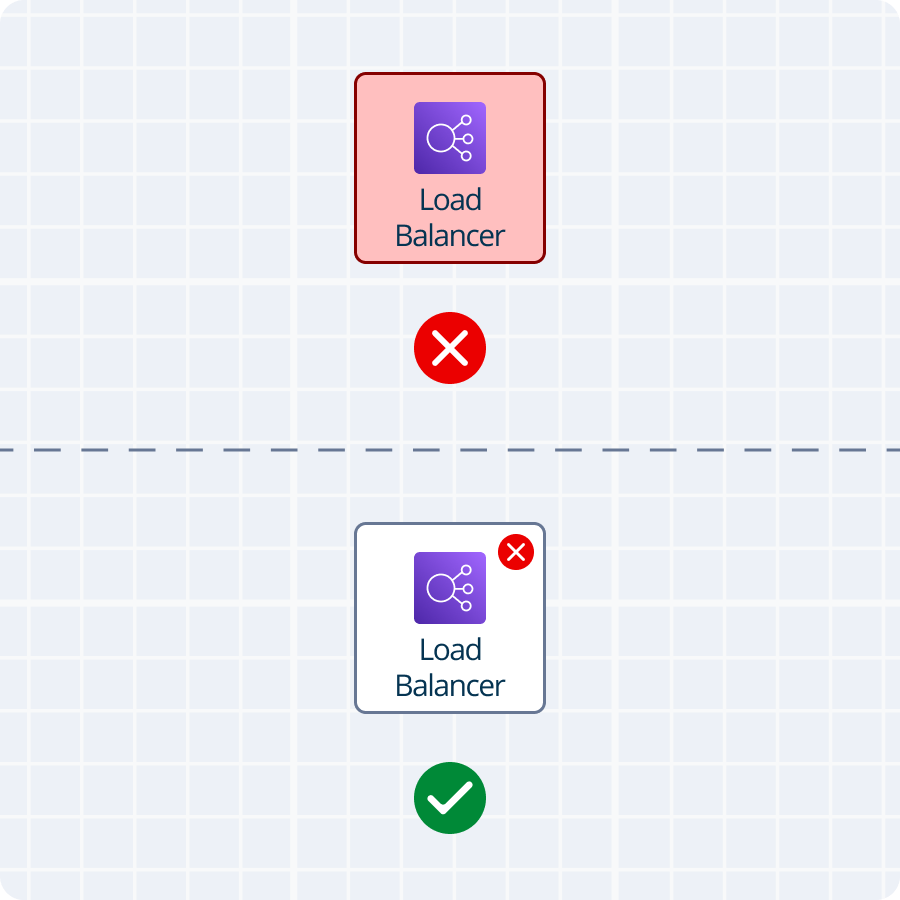
Status
To display the resource status I wanted to color them in red, but security engineers stated that architecture is never completely done. Hence, all the resources would constantly be red.
Thus, I introduced an indicator in the top right corner to display the status.
Diagram
After implementing changes and incorporating most important elements (resources, VPCs, Subnets, etc.) I created my own diagram style and received positive feedback.
“This is awesome! It looks even better than AWS”
Left Menu
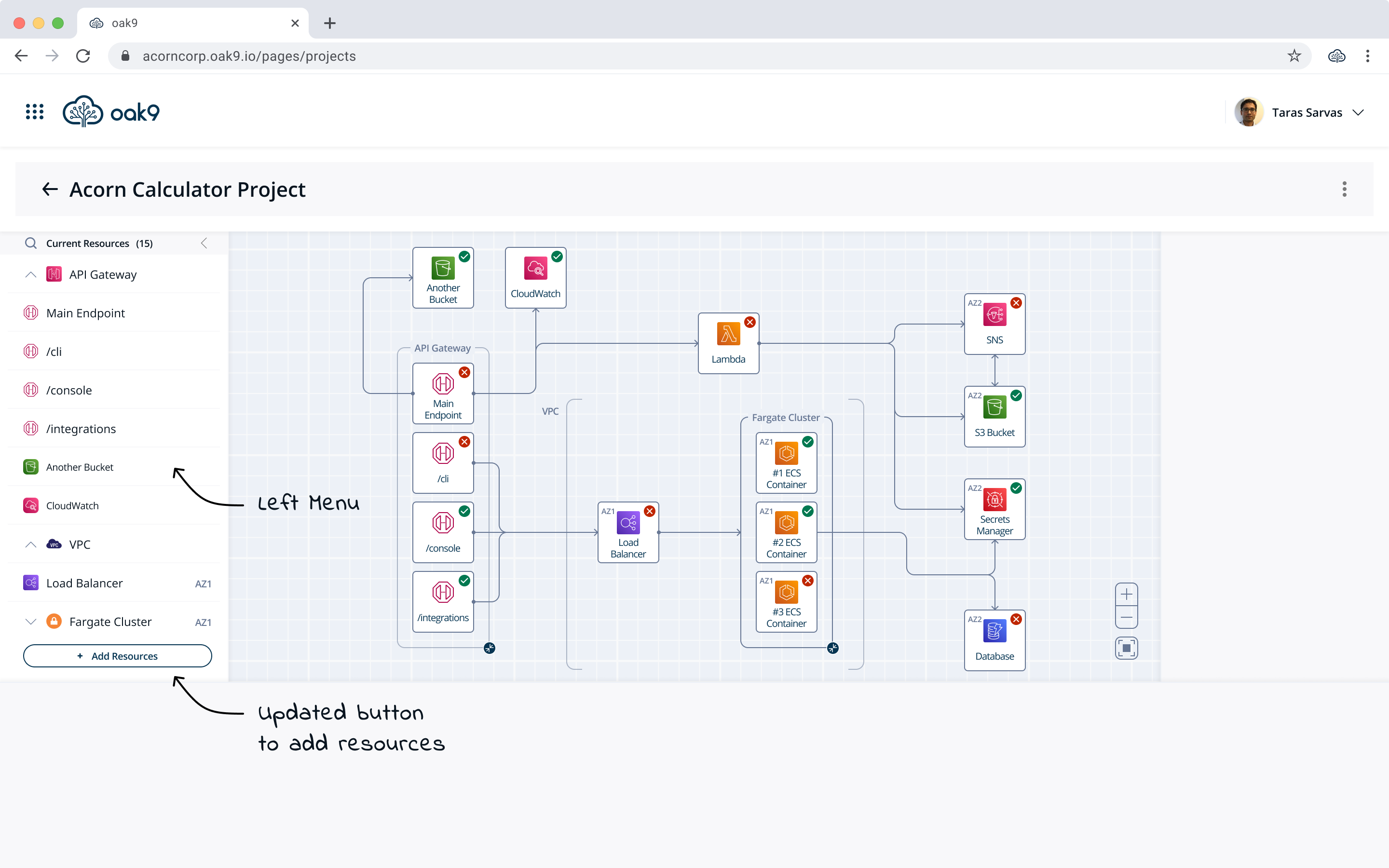
Drag-n-Drop
Initially I wanted to display all available resources in the left menu and allow the user to easily add them with a drag-n-drop functionality similarly to Draw.io
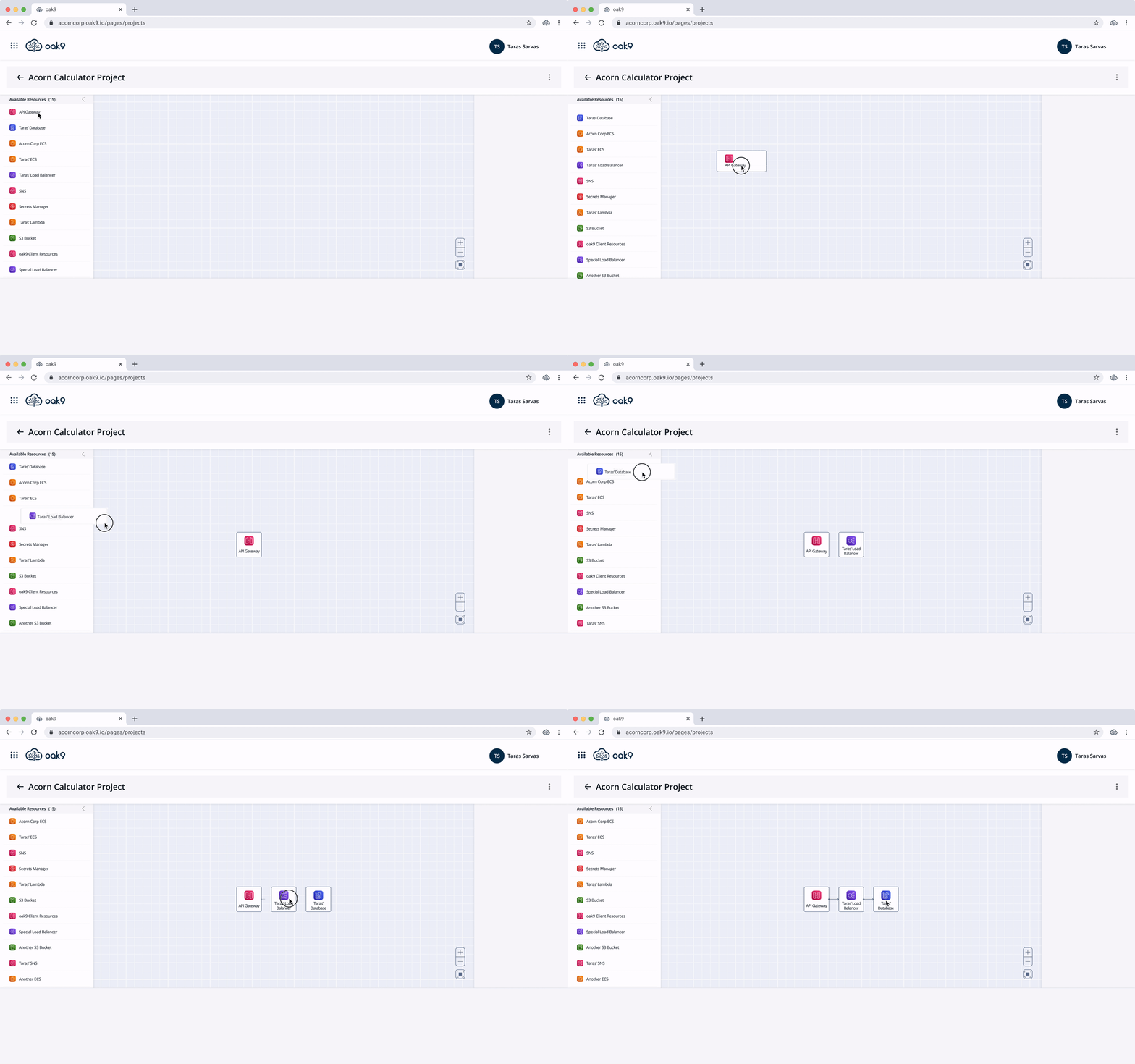
After discussing the drag-and-drop idea with developers I realized that the implementation would be tedious due to the graphic library we used. Additionally, users wanted to see more information about available resources to select a desired one.
Pop-Up
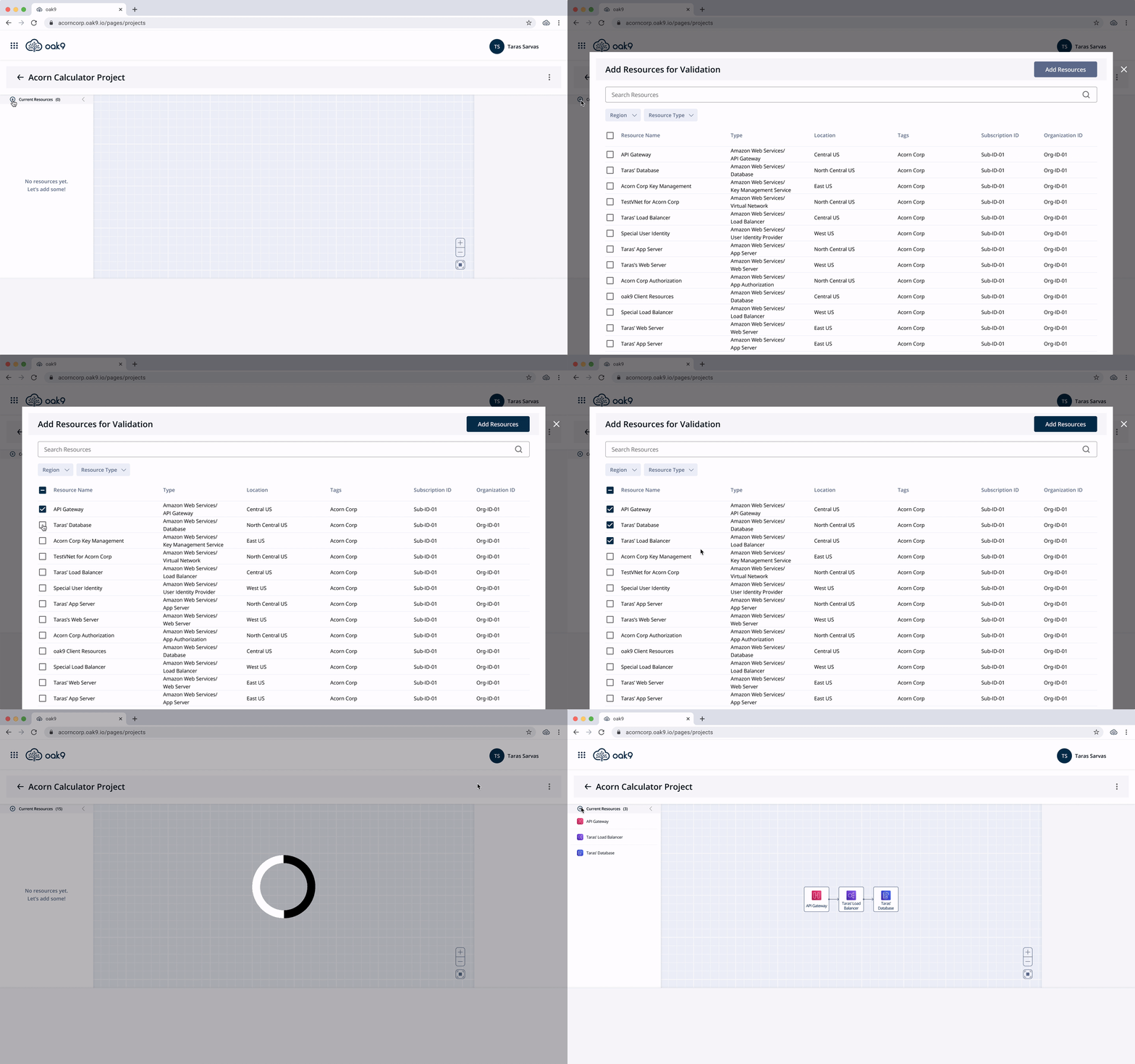
Since users needed more information I decided to introduce “Add Resources” functionality as a pop-up feature and display selected resources on the left menu. This design worked better because oak9 was intelligent enough to draw connections automatically, thus saving time for the user.
Final Iteration
After everything was done, users could not find the “Add Resources” icon. I had to redesign the button and based on the survey results I introduced a new way to add resources to the project.
Right Menu
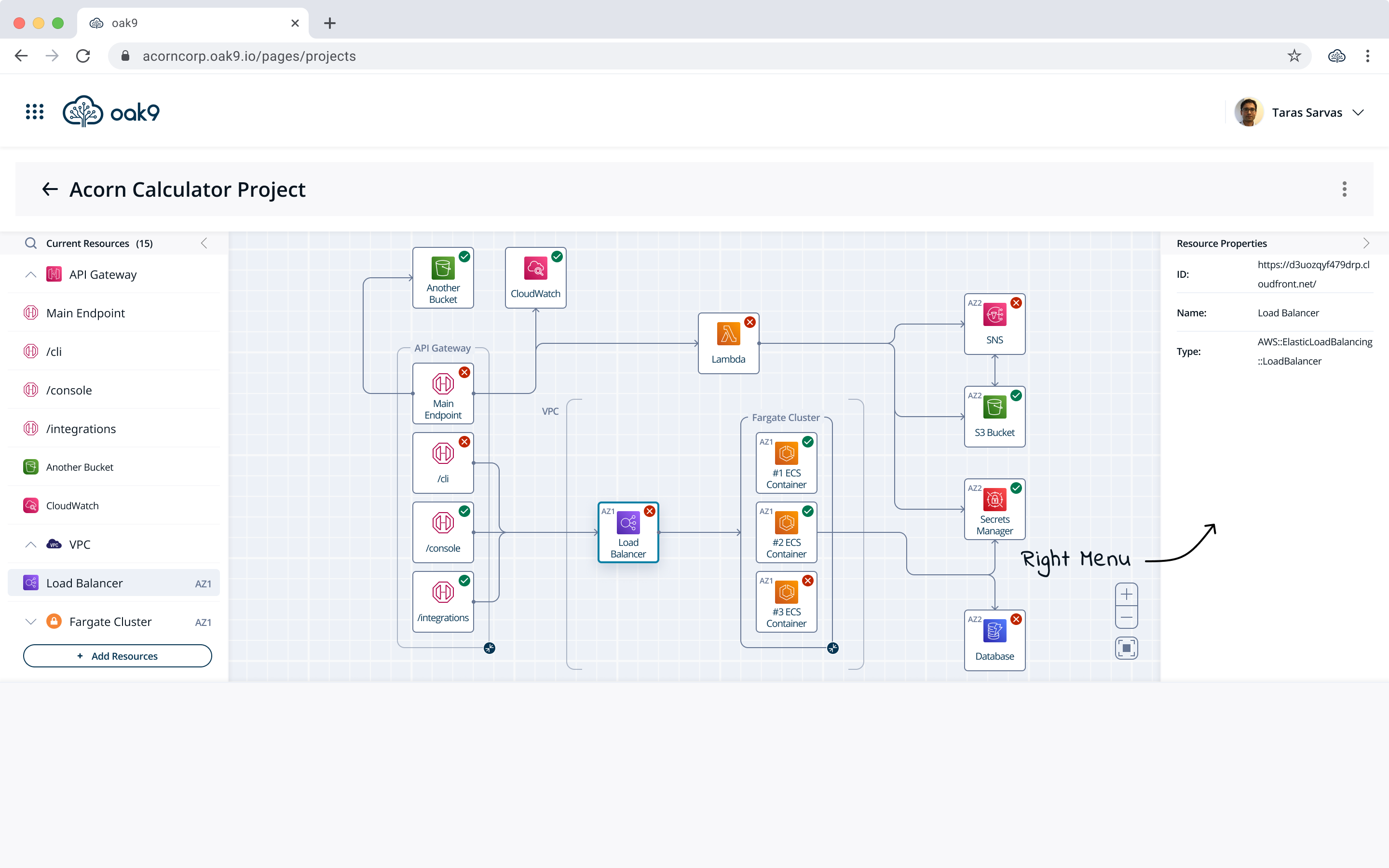
Right Menu
By analyzing different software I found that usually the properties of selected elements were displayed on the right menu. I decided not to deviate from this pattern and introduced resource properties on the right menu of the platform.
Bottom Menu
First Iteration
The core functionality of oak9 is to display design gaps and provide guidelines on how to address them. Based on my research, the majority of the time issues are displayed at the bottom menu.
In my initial design, at the bottom menu, I displayed Design Gaps and Warnings. Potential design gaps that oak9 did not have visibility into I showed as Tasks.
Feedback
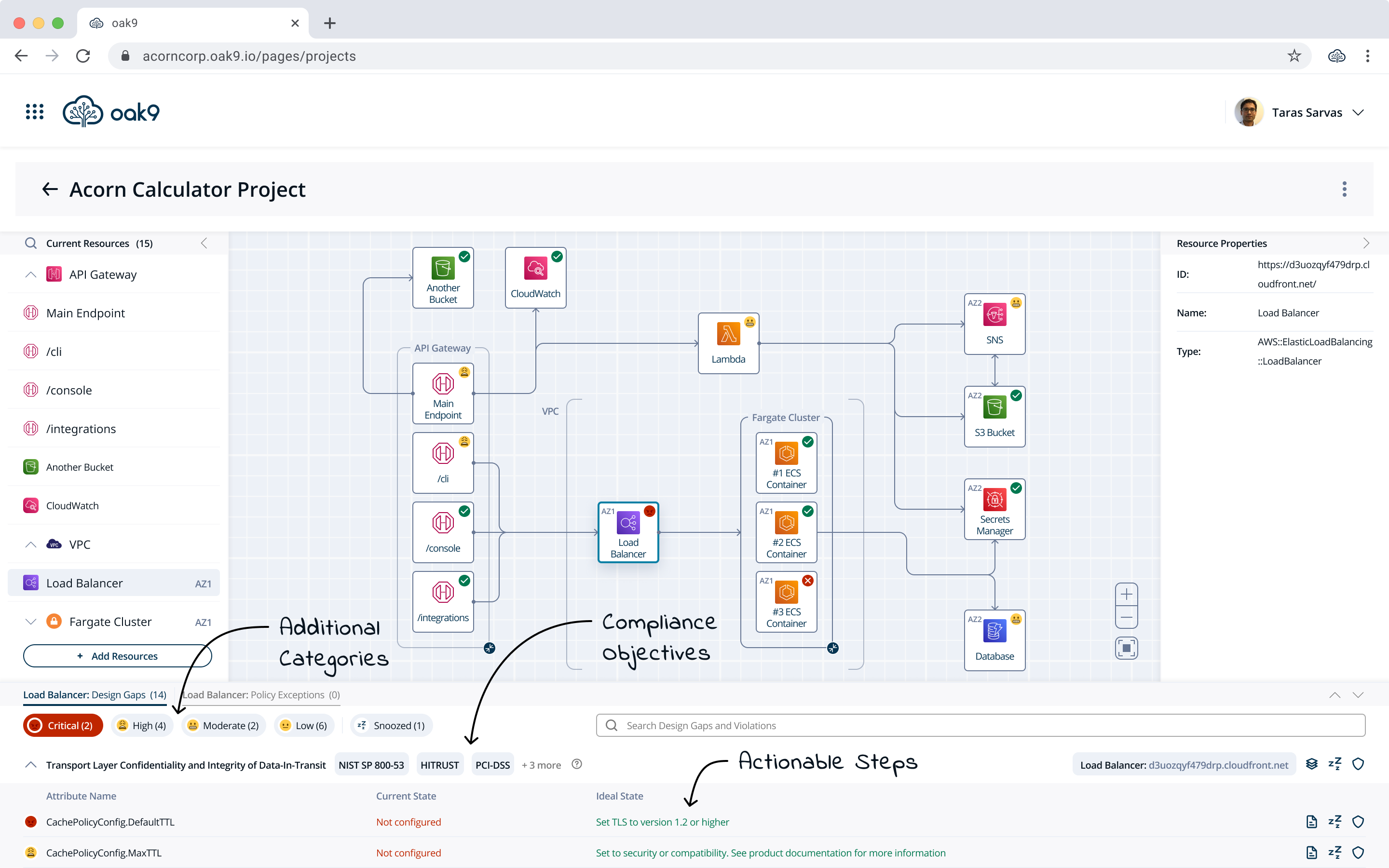
However, users came back to me and stated that they need more granular information about the design gaps because they needed to prioritize their efforts.
“Security is not a functional feature and you can not sell it for additional money. We need to know the priorities because every hour spent on security is a necessary evil that is supposed to be reduced to the absolute max.”
Second Iteration
Based on the feedback I introduced 4 severity categories and represented them with emojis to stay away from burying the user in red screens. Additionally, I assigned severity status (that can be changed based on user preference) to each violation and matched the severity of the design gap with the status of the most severe violation.
This allowed me to provide a more granular view for our customers without overwhelming them.
Blueprint View
Unfinished Business
After the bottom menu design was finished I realized that one of the requirements wasn't addressed.
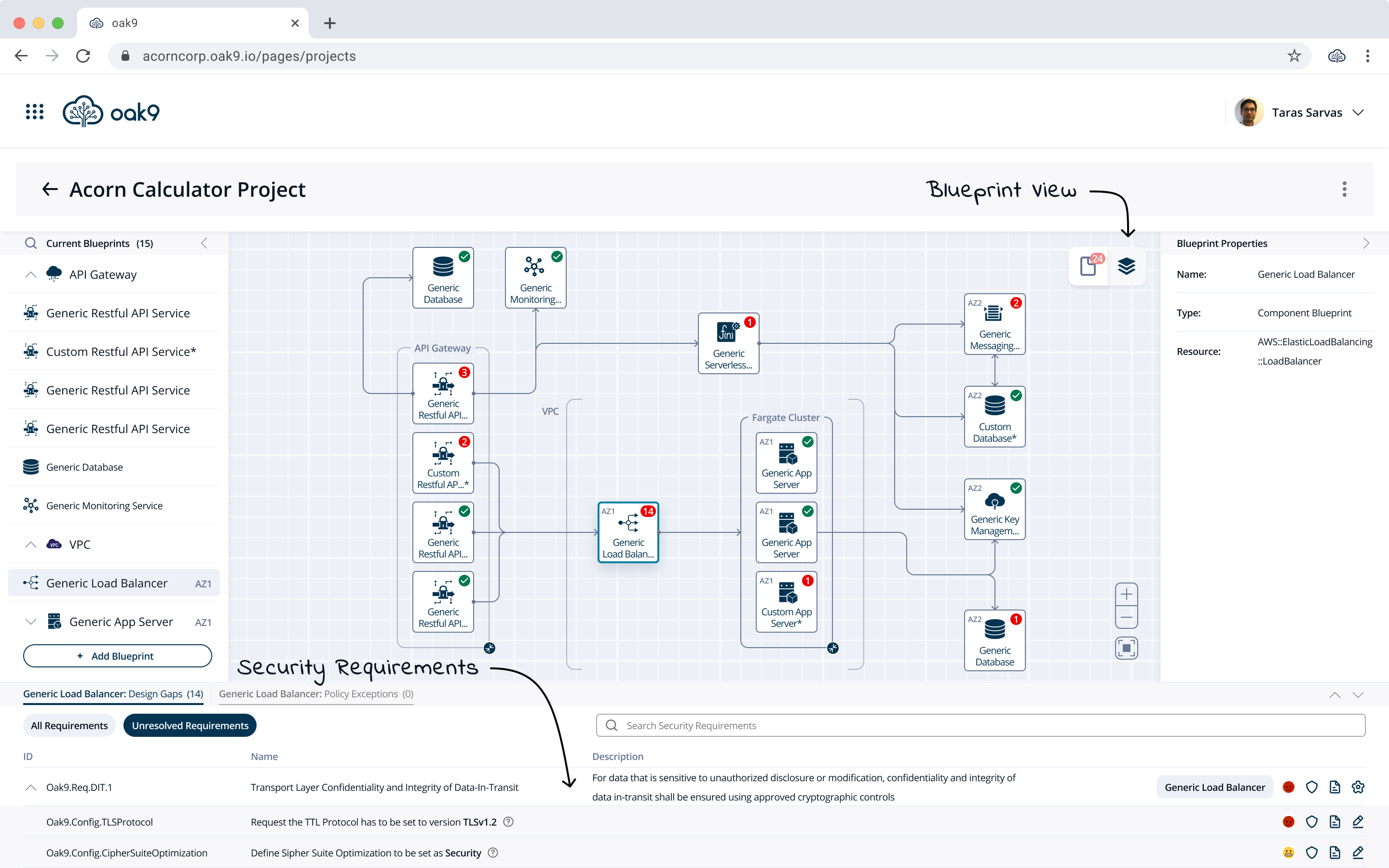
Specifically, the security requirements oak9 enforces on each resource.
The demand for security requirements was coming from security engineers since it was their main responsibility.

Cloud Architecture and its Status
Deployed Resources
Resource Properties
Design Gaps and Violations
Compliance Objectives
Security Requirements
Iterations
Blueprint on Resource
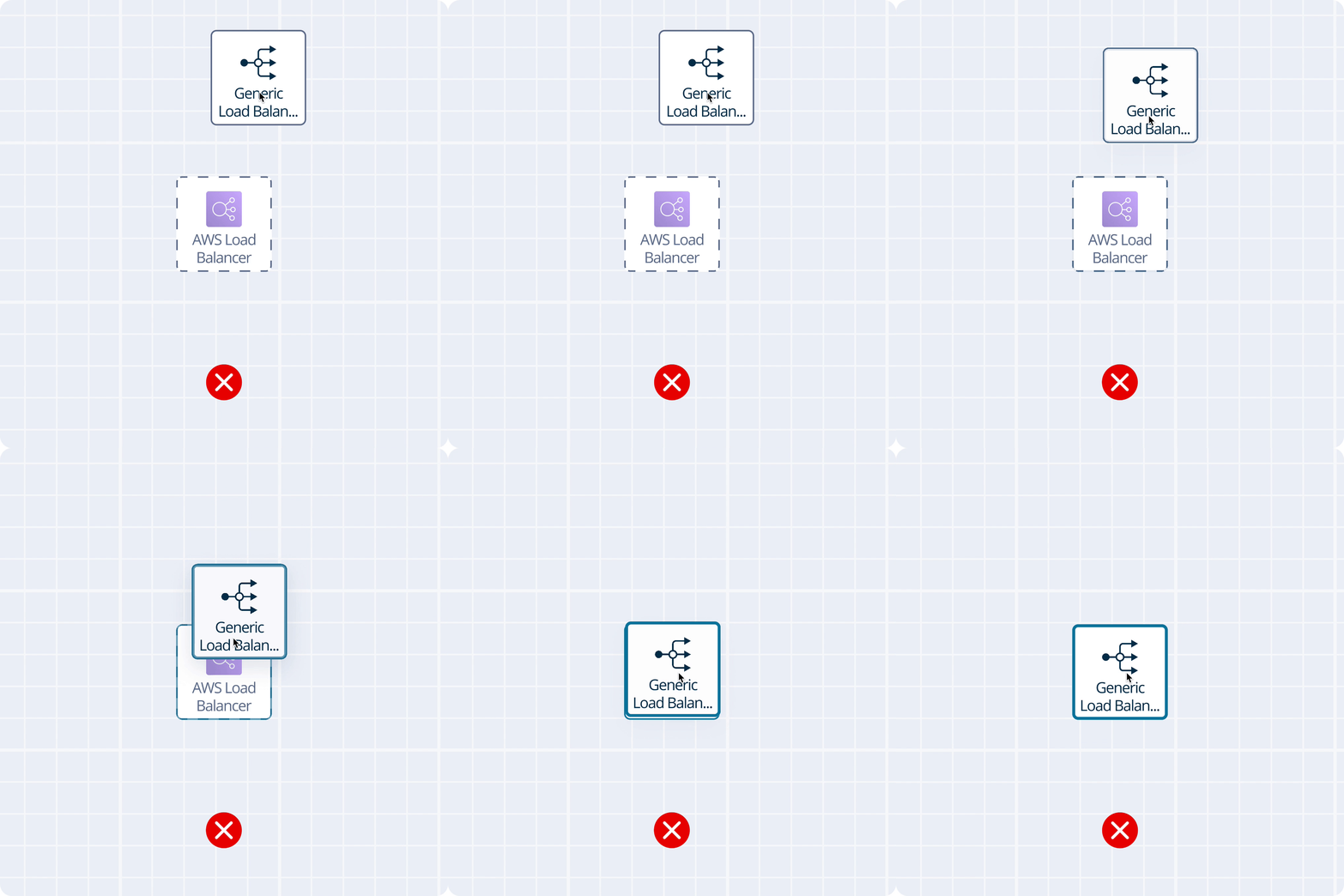
On my first iteration, I required the user to manually attach a blueprint to the resource but soon I realized that if the user deploys 100 resources it would be a nightmare.
Resource on Blueprint
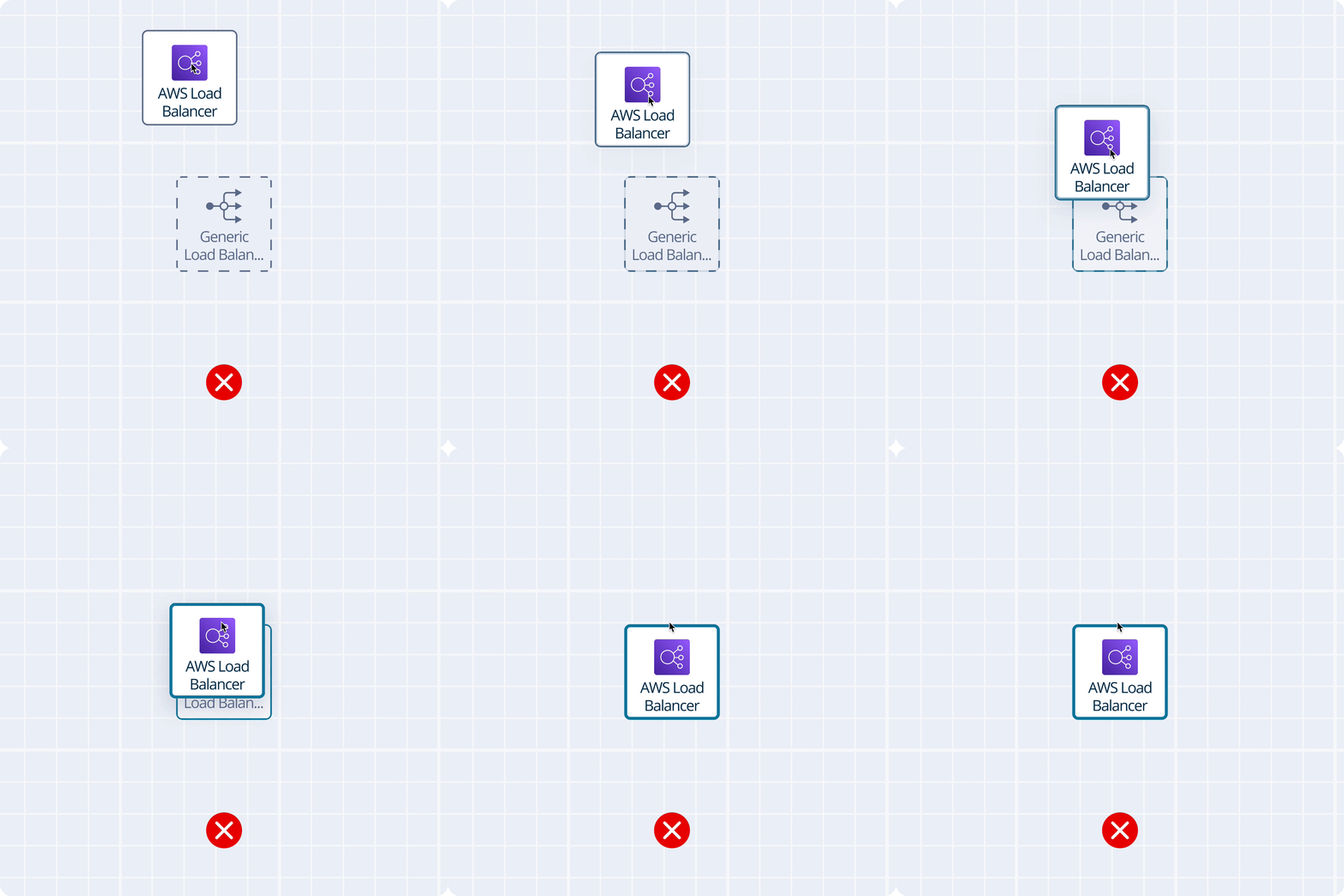
Another idea was to use blueprints to build the cloud architecture first and then deploy resources to fill in the gaps. However, architecture is usually built directly in the cloud and only then had to be secured.
Flip
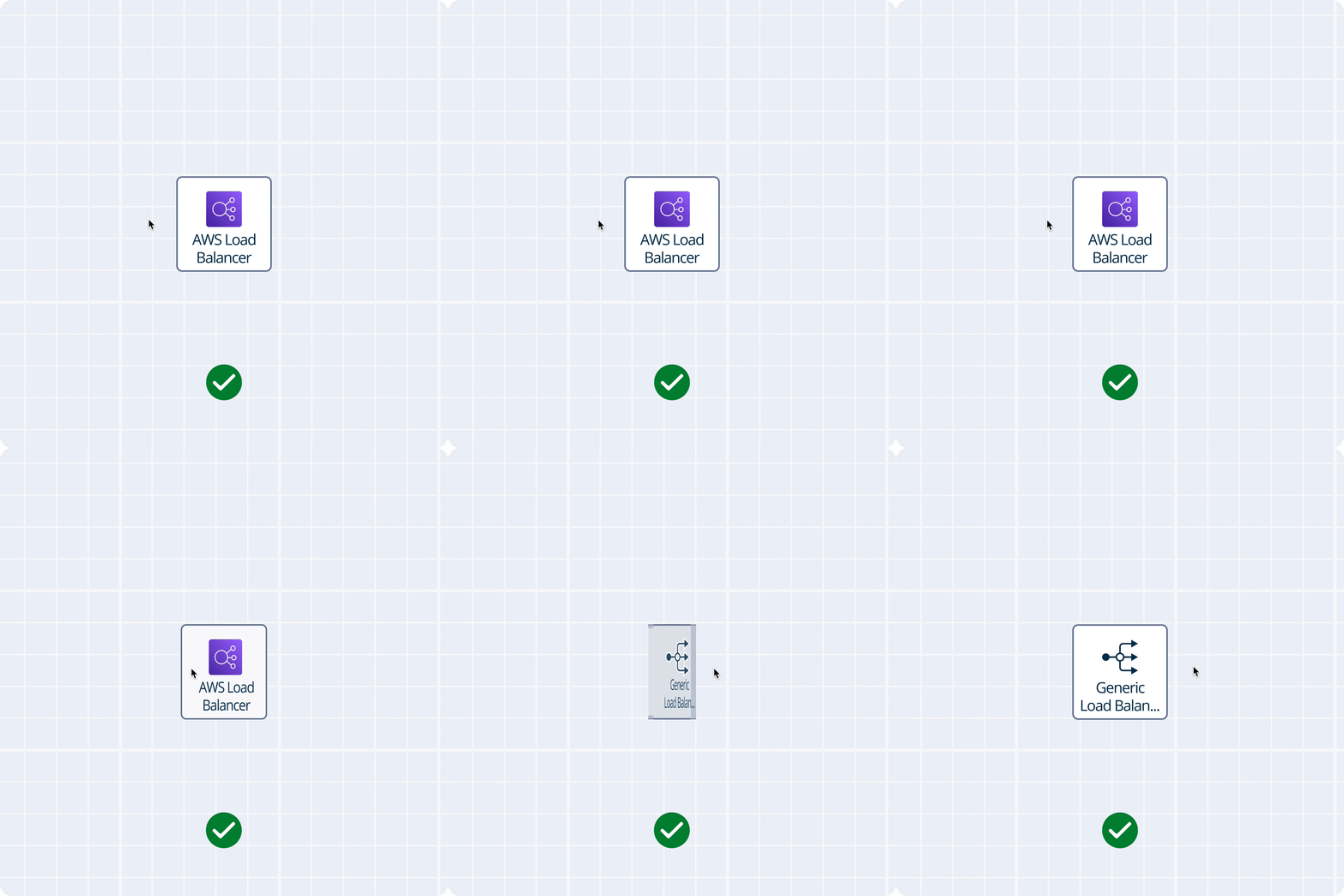
In my final iteration, the moment the user adds a resource to the project a blueprint is attached automatically, which the user can change later based on preference.
Blueprint View
Based on this insights I introduced a view that allowed security engineers to see all security requirements attached to a resource and adjust them if necessary. At oak9 we call it Blueprint View because it consists of blueprints - a set of security requirements for each resource to ensure they are secure.
Current Design
Additional Features
After the project was considered to be over, more iterations and more feature demands came my way. I am glad the design I prepared was flexible enough to incorporate additional features.
Final Thoughts
Learnings
Designing a core feature of the platform is both extremely challenging and rewarding. I consider this project to be a success since it became the most important feature of the platform where users on average spend more than 60% of the time on the platform. I am also proud that while the feature expanded my design was capable to adjust.
During this project, I iterated more than ever. I learned that while sometimes there is no time for research I should never skip usability testing. It's a great way to avoid customer frustrations and wasting development lifecycles in the future.
I also added workshops as part of the design process and it allowed the team to align in a matter of minutes. If the feature is complicated and at the end of the typical meeting the team did not come up with any next steps - I set up a time for a workshop. It works like magic.